





















FEATURED ARTICLE
Tax Planning for Realized Gains and Ordinary Income
Tax planning strategies for realized gains and ordinary income






Tax planning strategies for realized gains and ordinary income



We’ve created this simple guide to help you if this is your first year filing for solar tax benefits, or you just need a refresher. It describes the core steps and key forms you need to check are filled out correctly.
You’ll receive a K-1 from the developer, which will detail your depreciation deductions and credits. Your developer will share this form by mid or late March. K-1s are an IRS tax form used to report an individual’s share of income, losses, deductions, and credits from a pass-through entity. You should expect the K-1 to have detailed footnotes to assist in the reporting of your activity in Form 3468. Form 3468 is used to claim a variety of tax credits for specific investments, in this case you will be using it to submit the relevant tax savings for your Solar Investment Tax Credit.
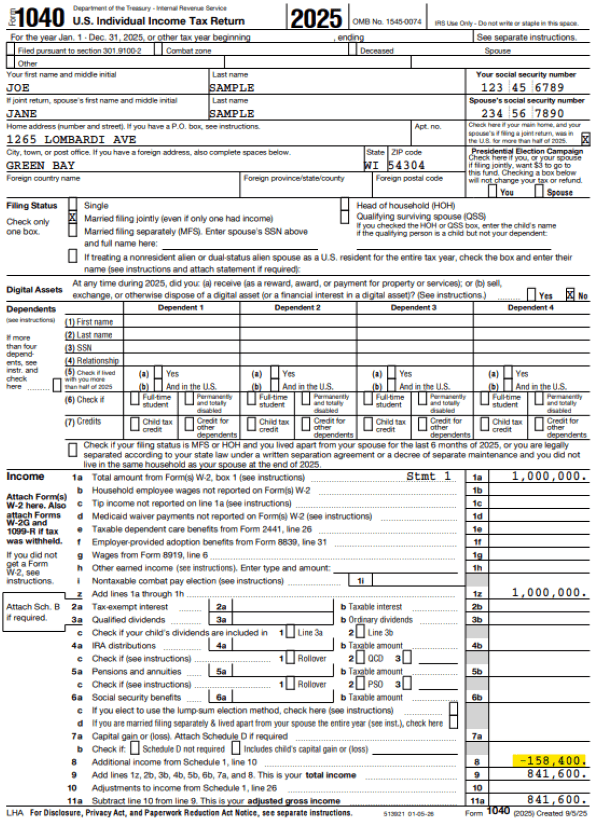
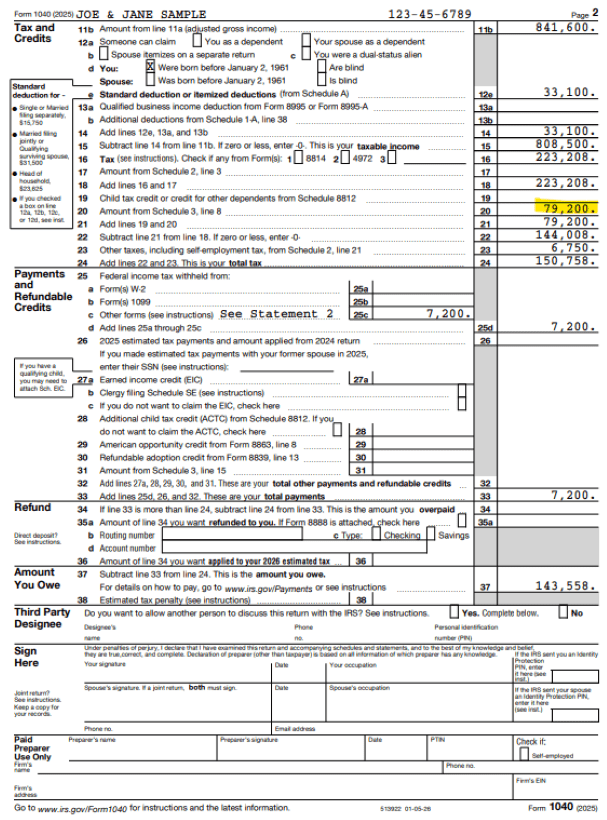
For the rest of the article we will use an illustrative scenario of a services professional with $1M of total income. They start out with a total of $274,616 of federal income tax after normal deductions and credits. They purchased a $100k solar project with a basis of $200k. This solar project has a 40% applicable energy percentage, so that $200k basis resulted in a $80k credit. Normally, the solar project would generate $200k of depreciation. However, claiming the renewable energy tax credit requires a 50% reduction to the depreciable basis equal to half of the credit claimed. In this case that means you reduce the $200k depreciation by $40k (50% of the credit), which leaves a total applicable federal depreciation of $160k. In this scenario the project is a “flip partnership,” which means the individual starts owning 99% for the first 6 years, before it “flips” to them owning 20% and the developer owning 80%. As a result, the individual gets 99% of the $80k credit and $160k depreciation which is $79,200 and $158.4k respectively. The $100k purchase reduces their total federal tax burden by $131,058 – leaving an updated tax liability of $143,558.
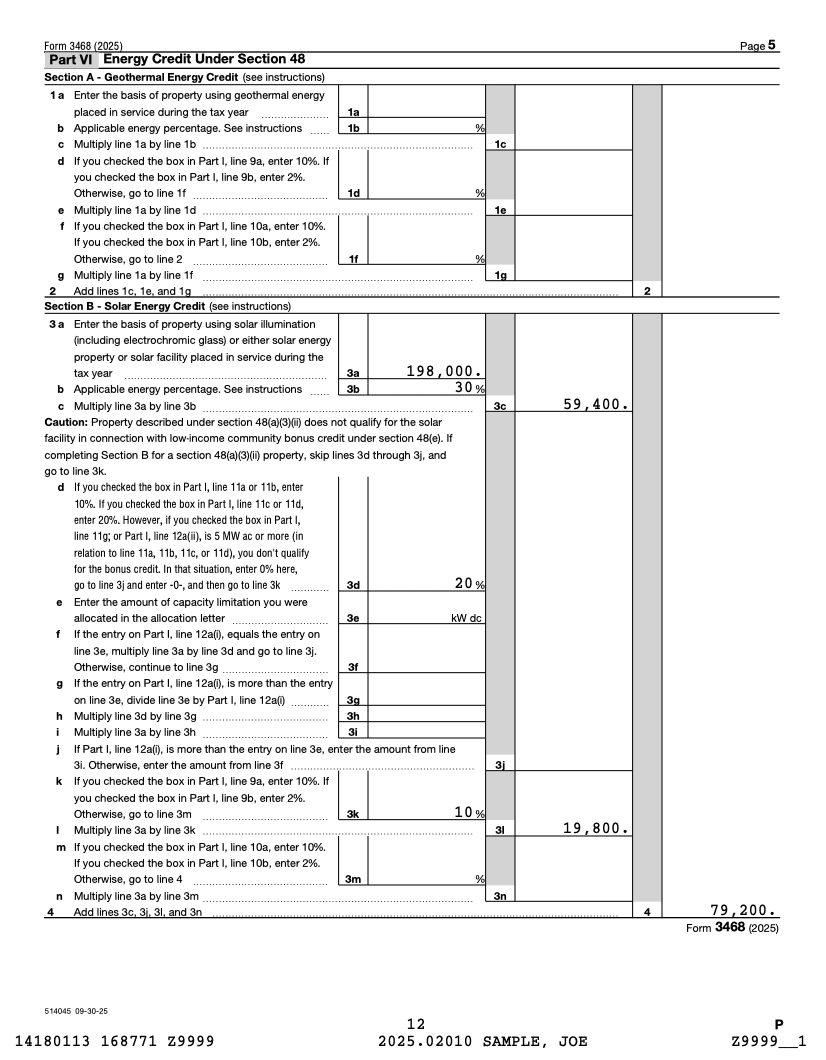
Part VI section B is the area of form 3468 where you will enter information for your Solar Investment Tax Credit. Here is a link to the 2025 form.
Depending on your tax software it will either collect this information on a K-1 screen or a 3468 input screen. After entry you should confirm that your information fills out the form 3468 correctly. In the example, below you can see that line 3a and 3b detail the basis of the property as well as the applicable energy percentage and allows you to calculate the Solar Energy credit.
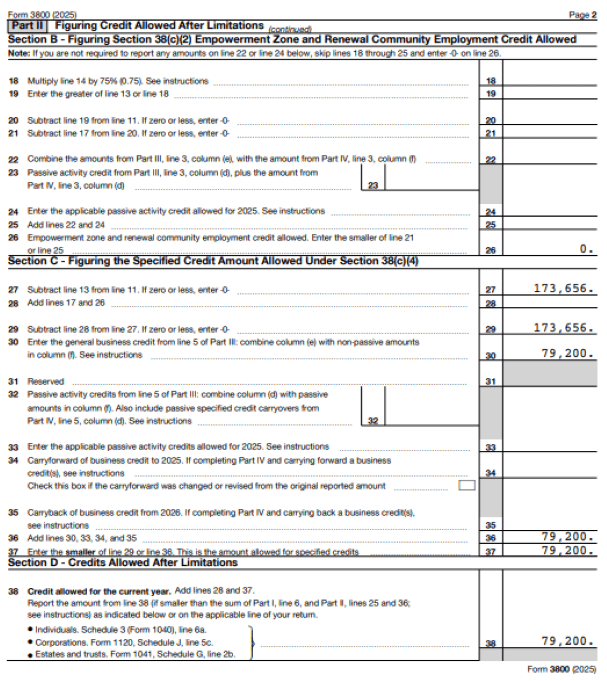
To calculate how much you can use you will go to the Form 3800. Most software will fill that form out based on your prior inputs. Here is a link to the 2025 version of this form.
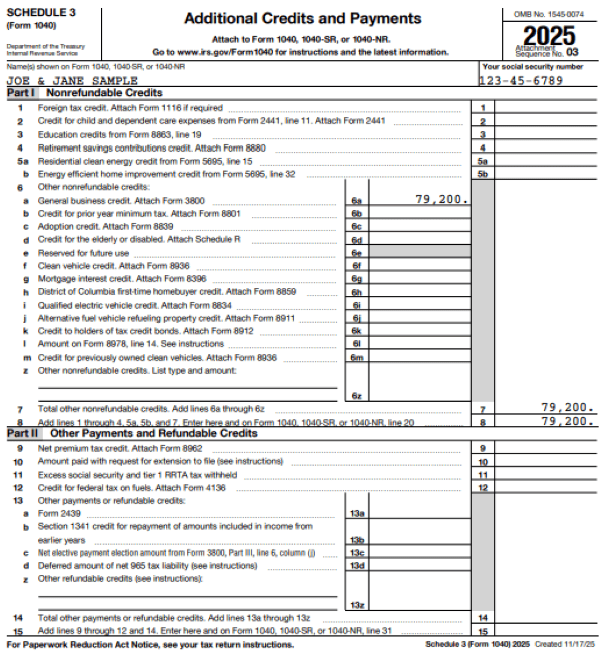
Schedule 3 serves as a summary form to transfer totals from various other IRS forms onto your main Form 1040 after you’ve completed Form 3468 and Form 3800.
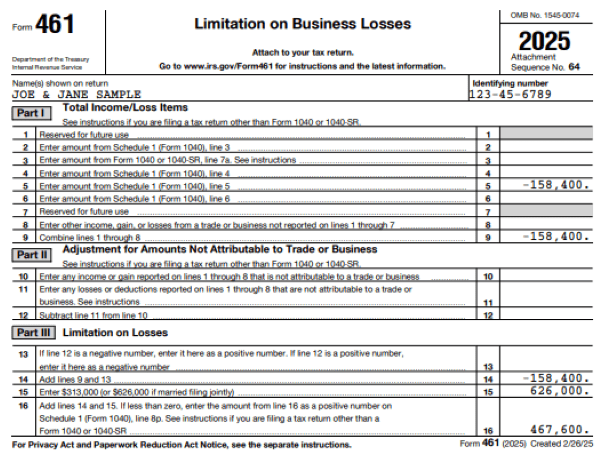
Form 461 calculates the allowable amount of business loss for an individual. In 2025 there is a cap on your maximum allowable loss for non-business income (i.e. W2 wages or capital gains) of $626k for married couples or $313k for single individuals. This cap changes each year. Form 461 will populate after you use your K-1 to fill out Schedule 1 of your 1040.
This is your main output to file your taxes. After you’ve completed the first 3 steps your tax software should auto-populate this form. At this stage its important to take your time and check that each of the other three forms are accurate.